
control
Obsidian Netron EtherDMX
Lighting cue and preset control for NETRON EtherDMX nodes
Control Obsidian NETRON EtherDMX lighting nodes directly from Q-SYS. Recall cues, load user presets, save DMX snapshots and monitor device status over HTTP.
The plugin talks directly to the NETRON node over HTTP. No gateway and no extra hardware, just a network connection between the device and your Q-SYS Core. Cues, user presets, DMX snapshots and device status are all driven from the Q-SYS design.
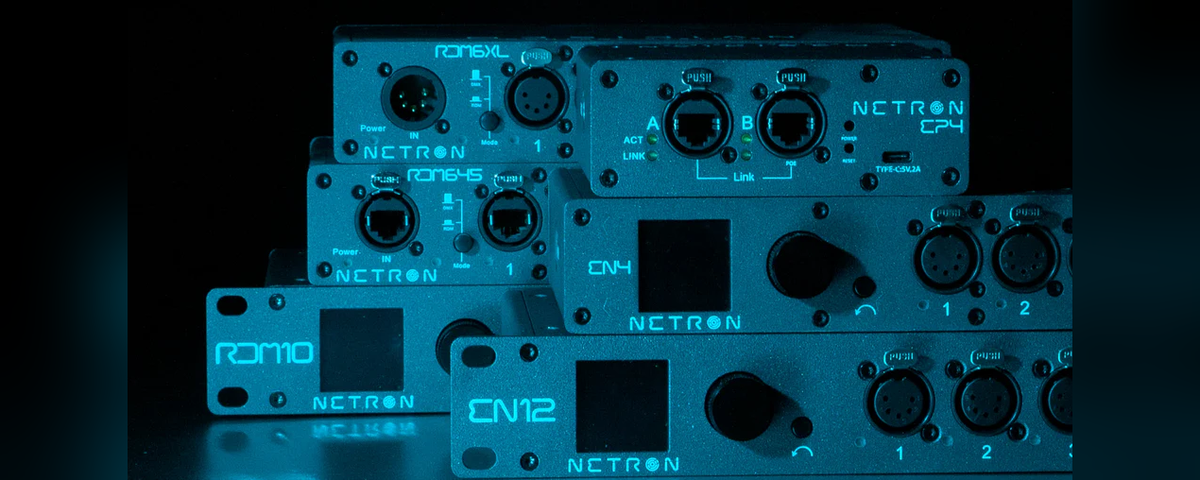
Works with the full NETRON EtherDMX range including EN4, EN12, EP1, EP2, EP4, EN6 IP, EN12-45 and RDM10 models. Once connected, the plugin polls for active cue status and keeps your Q-SYS interface in sync with the device.
Core Features
- Recall any of the 99 cues on the device or stop all of them, from a single button
- Save the current DMX values on all ports into any cue slot without leaving Q-SYS
- Recall any of the 10 user presets configured on the device
- Polling keeps the recall buttons and state LEDs in sync with whichever cue is actually running
- Device type, name, firmware version and MAC address are read back onto the setup page
- Flash the physical LED on the device to find it in a rack during install
- Reboot the device remotely
- Re-fetch cue and preset names from the device without reconnecting
- Set the polling interval anywhere from 2 to 30 seconds or turn it off
Supported Devices
All Obsidian Control Systems NETRON EtherDMX models:
- NETRON EN4 (4 output)
- NETRON EN12 (12 output)
- NETRON EP1 (1 output)
- NETRON EP2 (2 output)
- NETRON EP4 (4 output)
- NETRON EN6 IP (6 output, IP-rated)
- NETRON EN12-45 (12 output, POE)
- NETRON RDM10 (10 output + 2 input)
Ideal Applications
- Themed entertainment venues with pre-programmed lighting cues triggered from a central Q-SYS system
- Sports clubs and fitness facilities with scheduled lighting scenes
- Bars, restaurants and hospitality venues with zone-based lighting presets
- Conference and event spaces requiring simple lighting recall from a touch panel
- Any installation where NETRON EtherDMX nodes need integration with Q-SYS automation
Technical Details
- HTTP communication (GET/POST) on port 80
- Form-encoded POST requests matching the NETRON API specification
- Optimistic cue feedback with poll-based confirmation
- Mutual exclusion on cue recall buttons (one active cue at a time)
- All controls available as bidirectional control pins for external automation
Requirements
Q-SYS Designer 9.x or higher. NETRON EtherDMX device on the same network as the Q-SYS Core.
Licensing
Single license key per core. Once licensed, you can use the plugin as many times as you like in your design.
Version History
- v1.0: Initial release. Cue recall/stop/save, user preset recall, device info, identify, reboot, configurable polling.